Fantasy Map Foundry
A downloadable tool
Build Your Fantasy Worlds. Create Your Adventures.
Fantasy Map Foundry is a tile-based fantasy map editor designed for Dungeon Masters and tabletop RPG creators. Build dungeons, villages, cities, forests, and battle maps from scratch, or generate environments automatically and customize every detail to fit your world.
Create maps faster, experiment freely, and bring your tabletop adventures to life. No game development experience required.
Alpha Version !
Features & Tools
Automatic Map Generation
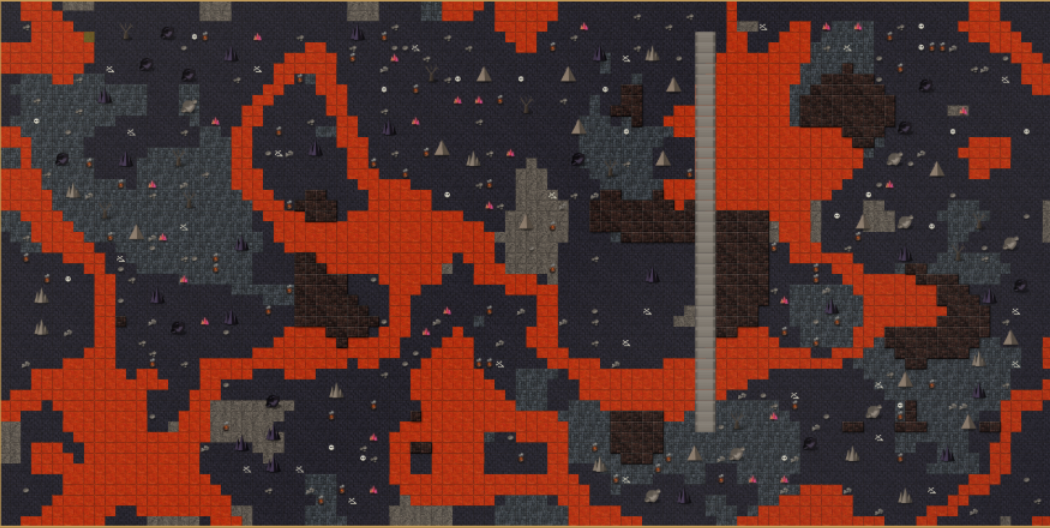
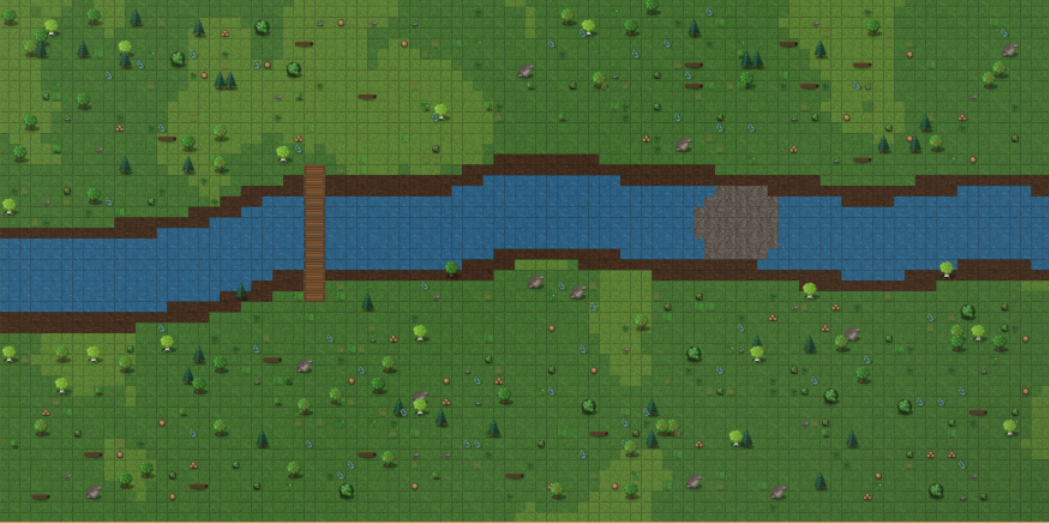
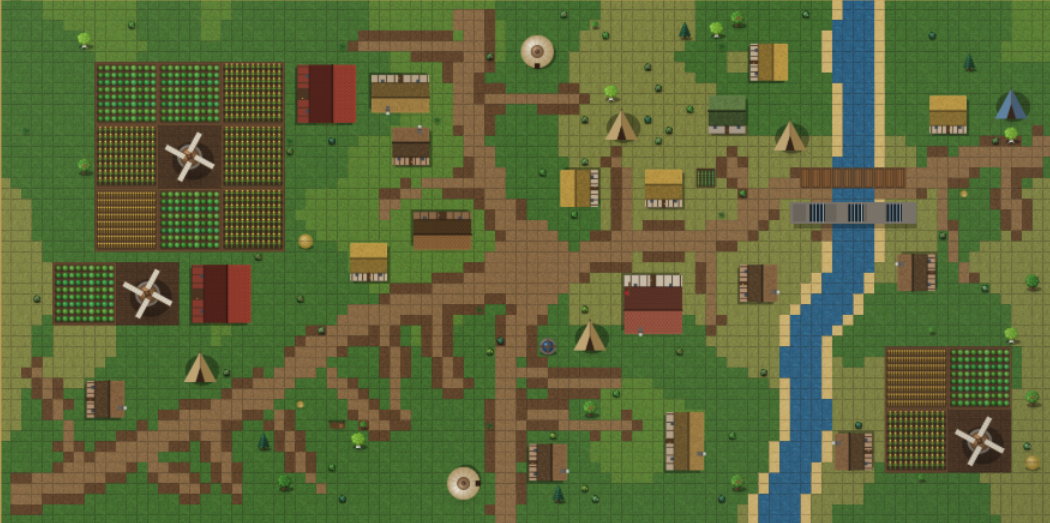
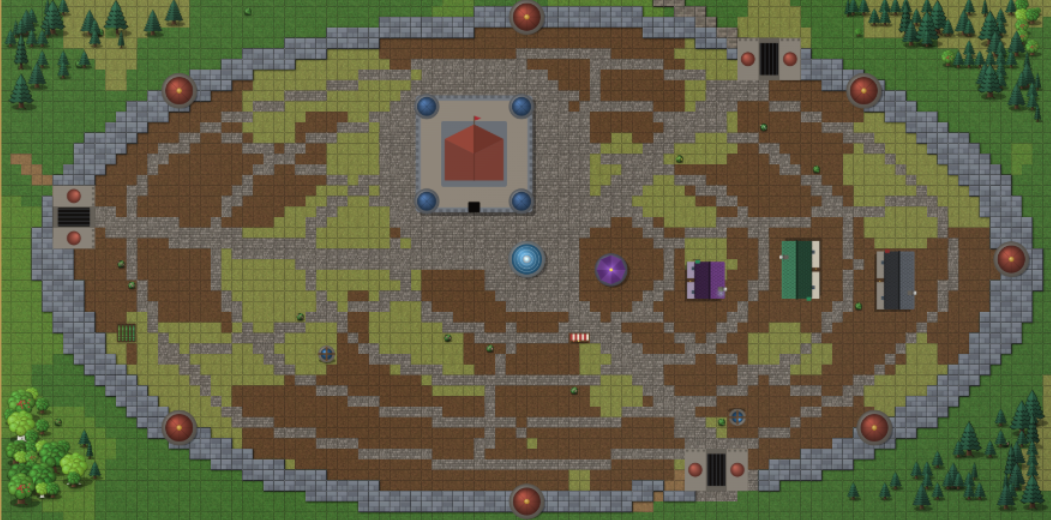
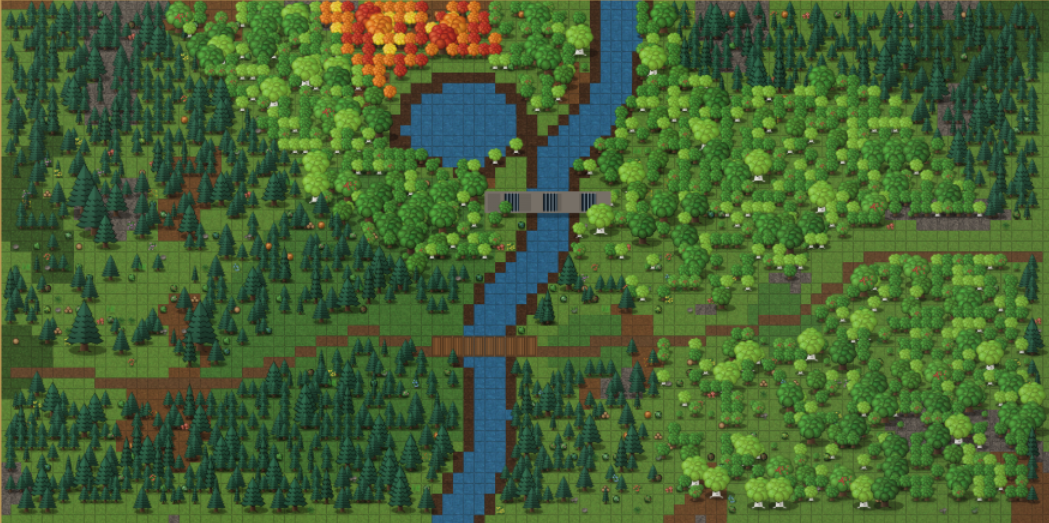
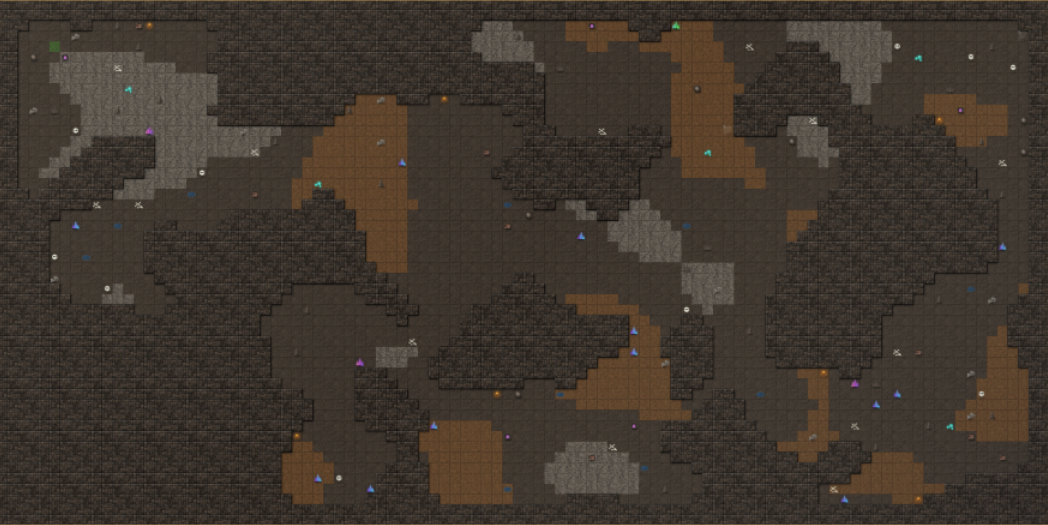
Generate caves (our best-performing generator), cities, villages, and forests automatically. You can also use Fullworld, a special generation mode that combines everything into one large map, creating more variety and gameplay possibilities. Fullworld is recommended for larger maps.
Automatic generation is designed to give you a starting point for the map you want to create. You can then edit, expand, and customize everything that has been generated. This workflow helps your creativity flow faster and allows you to create more natural-looking maps in less time.
Automatic Battlemap Generation — New Feature
Quickly generate battle maps using different environment presets. Choose from Random, Cave, Village, City, Beach, Forest, Meadow, River, Mountain, Volcano, Swamp, Desert, and Snow.
Each preset generates a combat-ready location inspired by its environment, without excessive decorations or unnecessary obstacles that could interrupt gameplay. Some environments are still being improved, but this feature already makes it much faster to create functional battle maps for your adventures.
Text Tool
Add text anywhere on your map. You can resize and move text freely, as well as add as many text elements as you need. Use it to label cities, houses, locations, landmarks, or add notes and other important information.
Import Tileset
Import any image and turn it into a usable tileset. Choose the size of the grid squares to match your image, then select one or multiple tiles to incorporate them directly into your map. This allows you to expand your creative possibilities by using your own images and custom assets.
Essential Drawing Tools
The editor includes four main tools: Brush, Eraser, Fill, and Eyedropper.
The Brush is your primary tool for drawing and placing tiles. Hold Shift while using it to create squares of your desired size. You can also quickly create room outlines by enabling the With Shift option and selecting Outline Room.
Ambient Lighting
Adjust the ambient lighting to change the light and shadows across your map. This adds depth and atmosphere to your environments, helping you create more immersive locations.
Adjustable Tile Size
Use the size slider to make any tileset smaller or larger, giving you greater control over the appearance and proportions of your map.
You can also hold Shift and scroll the mouse wheel to increase or decrease the size of your tiles quickly.
Three-Layer Map System
Fantasy Map Foundry uses a three-layer system to keep your maps organized.
Layer 1 — Floors. Floors form the base of your map. They cannot be erased completely, only replaced with other floor tiles. Placing a new floor will not replace the walls or objects above it.
Layer 2 — Walls. Walls are placed above floors but below objects. Adding walls will not replace existing objects.
Layer 3 — Objects and Imported Tilesets. Objects always appear above floors and walls. Imported tilesets also function as objects, allowing you to place custom elements on top of your environment.
Depth and 3D Effect
The editor includes a simulated 3D depth effect. Objects placed behind other objects can be hidden by those in front, creating a more natural sense of perspective and depth in your maps.
Undo Function
Made a mistake? Press Ctrl + Z to undo your previous actions and return to an earlier state of your work.
Map Navigation
Move around your entire map using W, A, S, and D. You can also hold down the middle mouse button and drag to navigate the canvas freely.
Save and Export
Save your projects and reopen them whenever you want to continue working. You can also export your completed maps as PNG images, making them easy to share, use in your tabletop RPG sessions, or import into other tools.
Upcoming Features & Future Improvements
Advanced Map Export Options. Add more customization options when exporting maps, including different grid styles, grid colors, grid sizes, and other visual settings.
NPC & Character Tab. Introduce a dedicated tab for NPCs and characters, allowing you to represent dragons, orcs, monsters, and all kinds of characters directly on your maps.
Customizable Signs & Shop Labels. Add signs to the Objects tab so you can customize buildings and turn ordinary houses into recognizable locations, such as inns, blacksmiths, alchemy shops, general stores, and more.
Improved Automatic Generation. Continue refining automatic map generation, with a stronger focus on battle maps. Improve the scale and proportions of trees, objects, and other environmental elements that may interfere with combat or movement.
Verticality & Elevation. Explore ways to introduce height and elevation into maps, creating more dynamic environments with cliffs, elevated platforms, hills, and other terrain features.
Better Tilesets. Continue improving the visual quality of existing tilesets to make maps look more polished, cohesive, and immersive.
Tileset Color Customization. Add controls for adjusting the hue, saturation, and brightness of any tileset you use. This would allow you to customize the appearance of your assets and create unique environments that match your vision.
Community Feedback & Suggestions
I'm always open to new ideas and suggestions to help improve Fantasy Map Builder. If you have a feature in mind, an idea for a new tool, or constructive criticism, feel free to share it! Every suggestion is welcome and can help shape the future of this project.
I'm a Dungeons & Dragons DM from Argentina with plenty of campaigns under my belt. I'm developing this tool out of my love for tabletop roleplaying games, and I originally created it to use in my own campaigns.
I'm currently playing my campaigns on Tabletop Simulator, which I highly recommend checking out if you're looking for a great way to bring your tabletop adventures to life.
Thank you for supporting the project and helping Fantasy Map Foundry grow!
Purchase
In order to download this tool you must purchase it at or above the minimum price of $5 USD. You will get access to the following files:
Leave a comment
Log in with itch.io to leave a comment.